Introduction
Why Programming Languages?
- Machine language is hard for humans to read/write.
- Programming languages like Java allow writing instructions in a human-friendly, structured way.
Java Code Execution: Step-by-Step
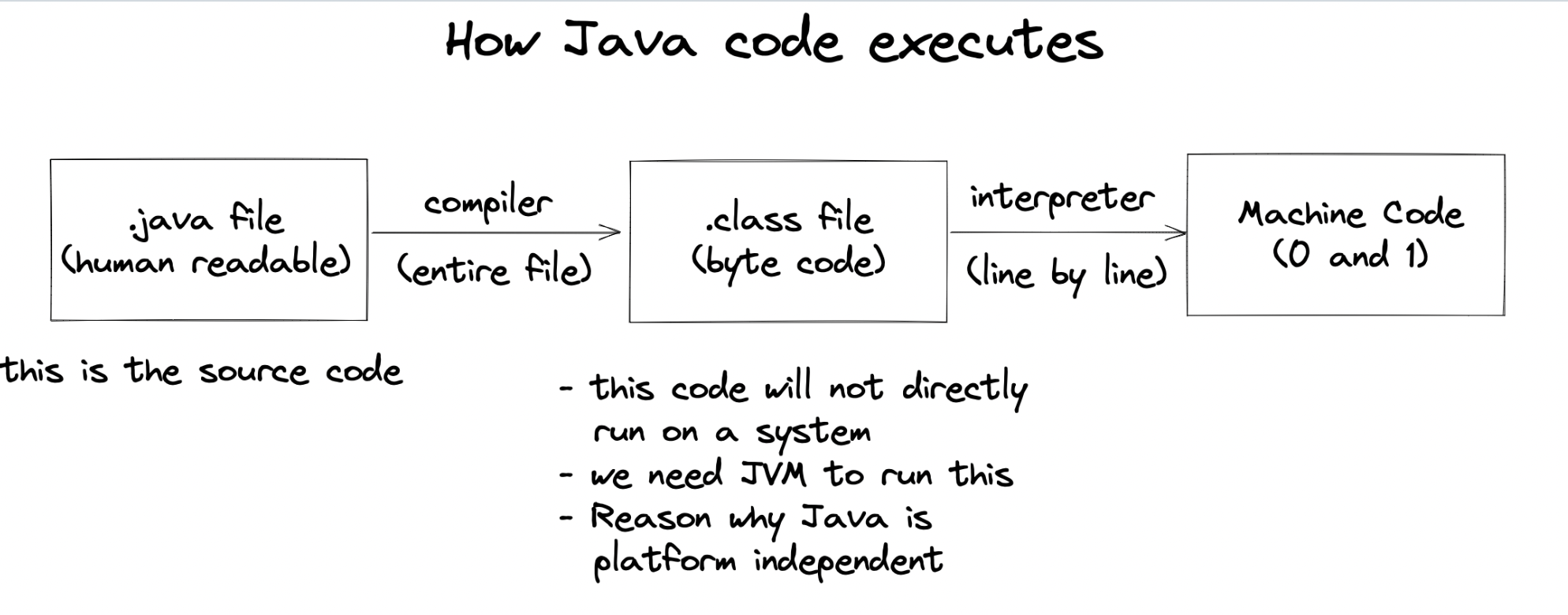
- Write Source Code (.java file)
- Code is human-readable and saved with a
.javaextension.
- Code is human-readable and saved with a
- Compilation (.class file / Bytecode)
- Java Compiler (
javac) converts.javafile to.classfile containing bytecode. - Bytecode is platform-independent (can run on any OS).
- Java Compiler (
- Class Loader & JVM Execution
- The Java Virtual Machine (JVM) loads
.classfiles. - JVM interprets (and may just-in-time compile) bytecode to machine code for the specific OS.
- The main() method is required as program entry point.
- The Java Virtual Machine (JVM) loads
Why Java is Platform Independent?
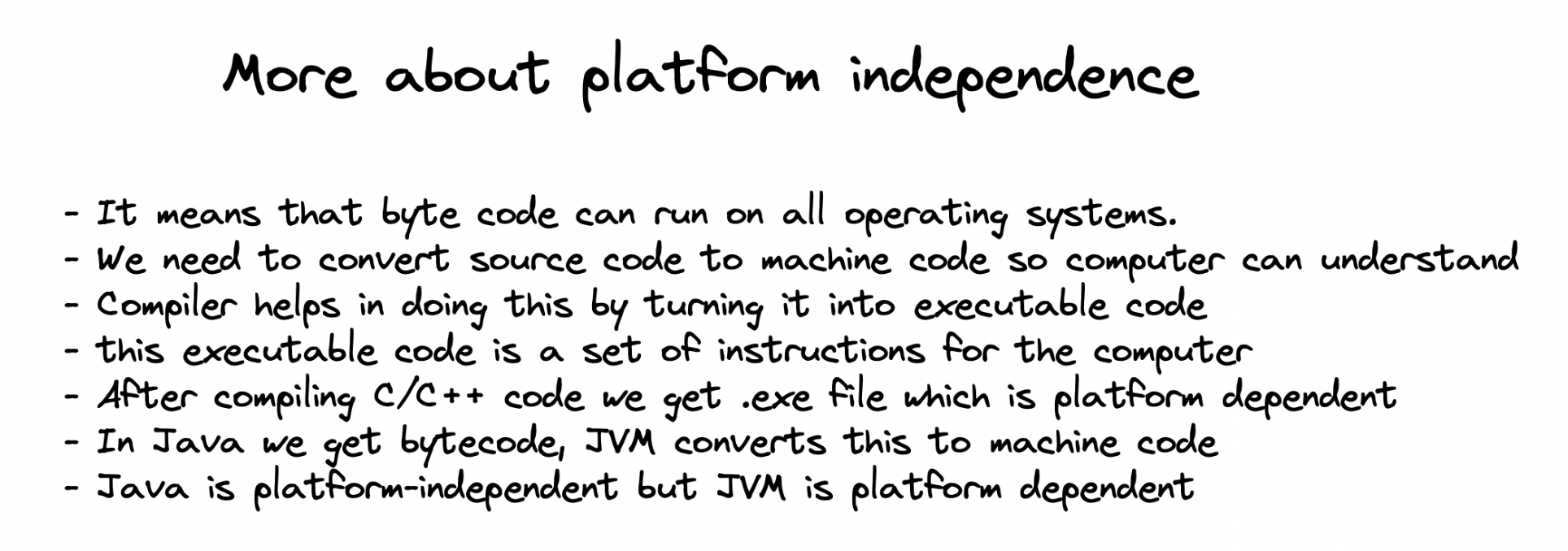
- Bytecode runs on any system with a suitable JVM installed.
- The JVM is implemented for each OS, making Java programs ‘write once, run anywhere’.
Components of Java Architecture
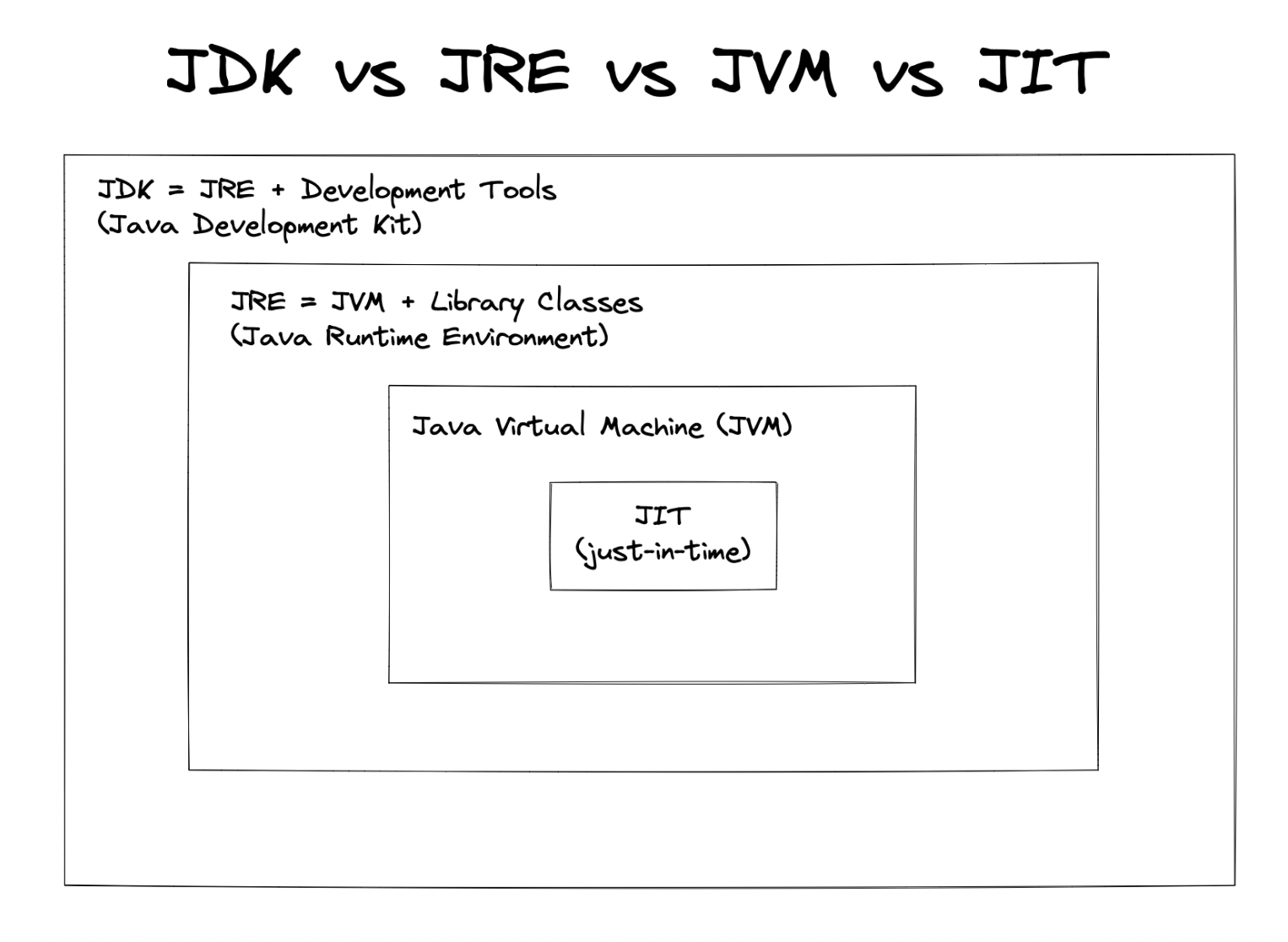
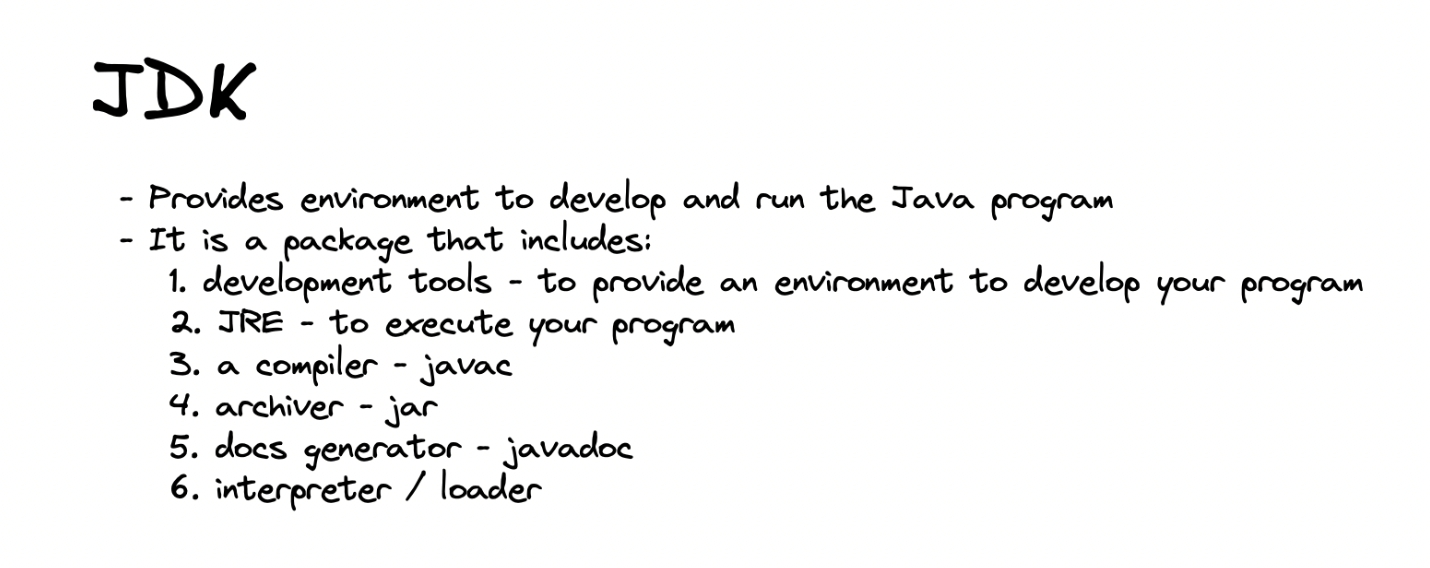
- JDK (Java Development Kit):
- Contains compiler, debugger, documentation and development tools.
- Includes JRE.
- JRE (Java Runtime Environment):
- Contains JVM and libraries needed to run Java programs.
- Does NOT include development tools.
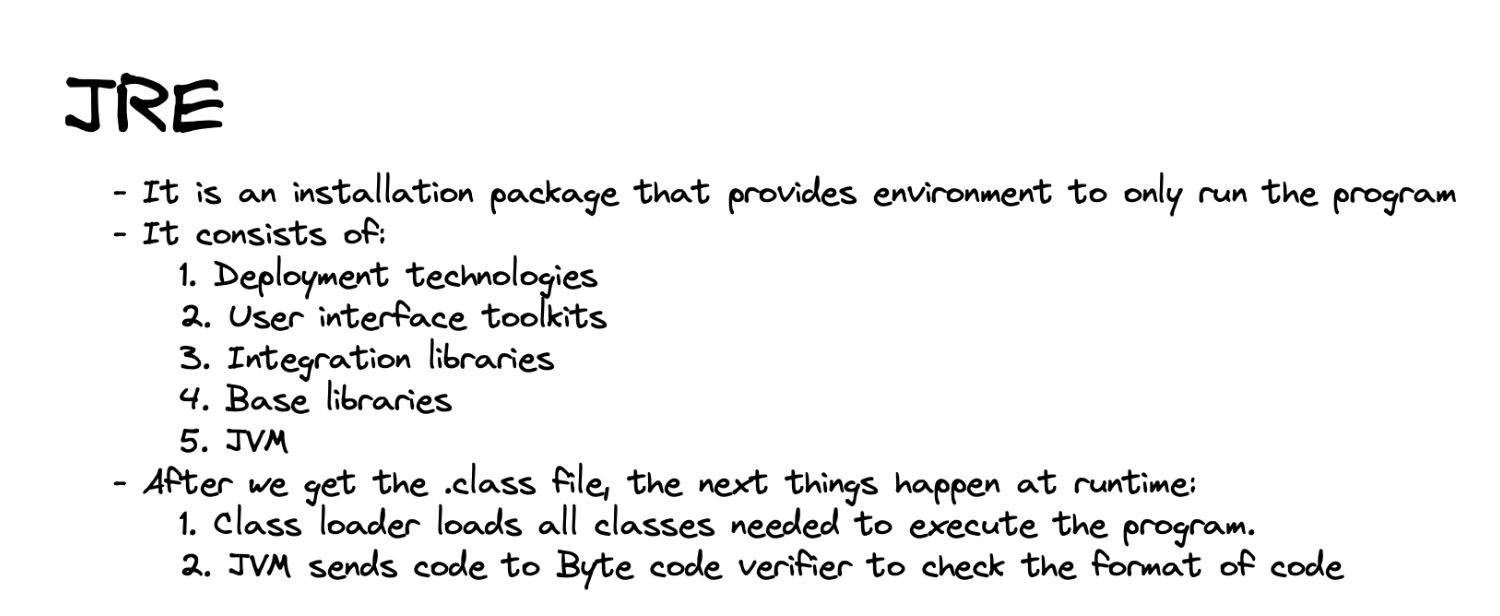
- JVM (Java Virtual Machine):
- Runs bytecode, handles memory, security, garbage collection.
- Platform-dependent component, but runs platform-independent bytecode.
Important Java Terms
- Compile Time: The process when source code is converted to bytecode; errors are caught here.
- Runtime: When the program runs on JVM; runtime errors may occur.
- Class Loader: Loads classes into JVM memory during execution.
Working of JVM: Execution Flow
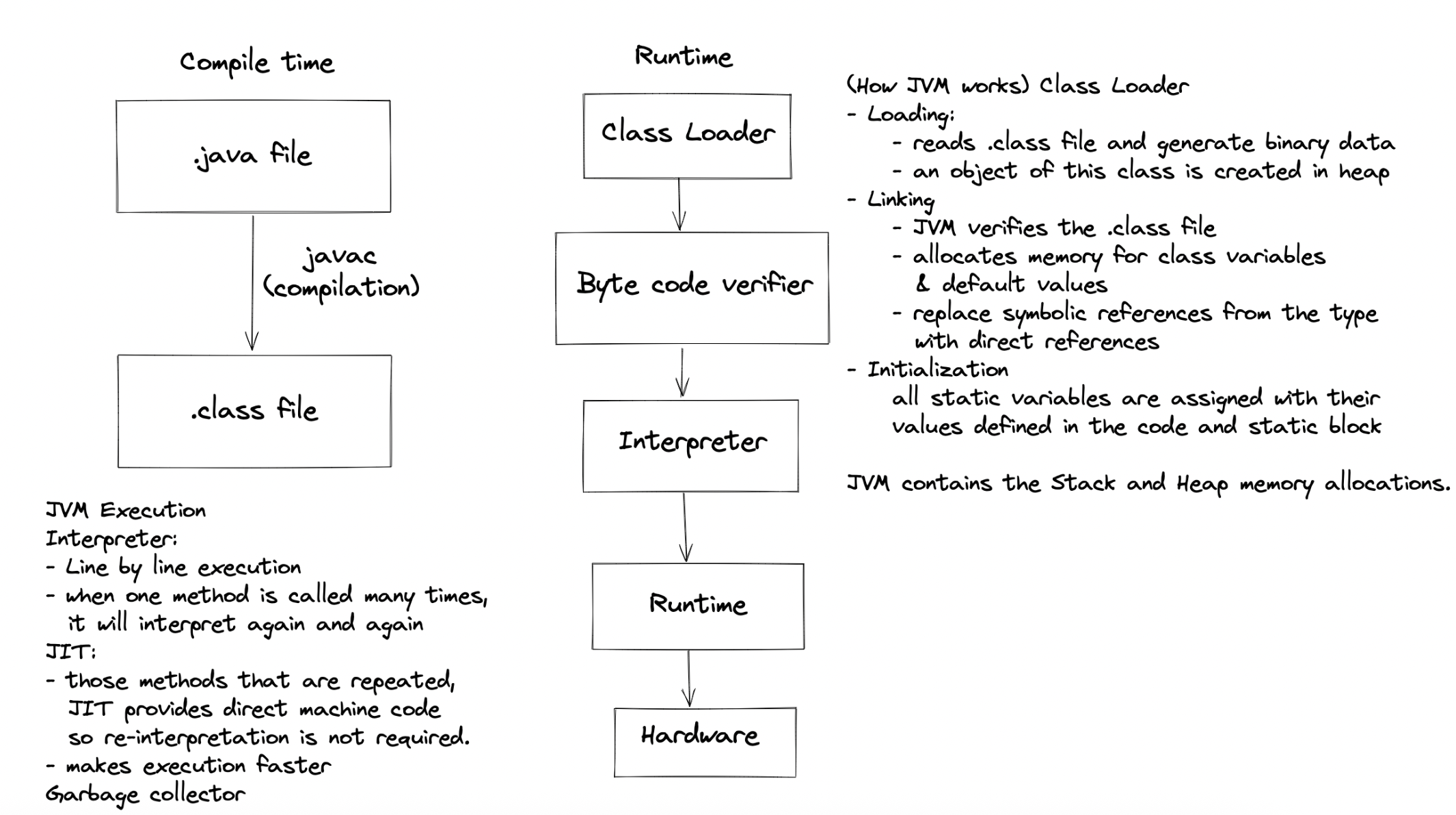
- Class Loading: Finds and loads required
.classfiles. - Bytecode Verification: Checks code safety and validity.
- Execution: Uses an interpreter and Just-In-Time (JIT) compiler for optimal speed.
- Memory Management: Handles allocation, deallocation, garbage collection.
Java Program Flow
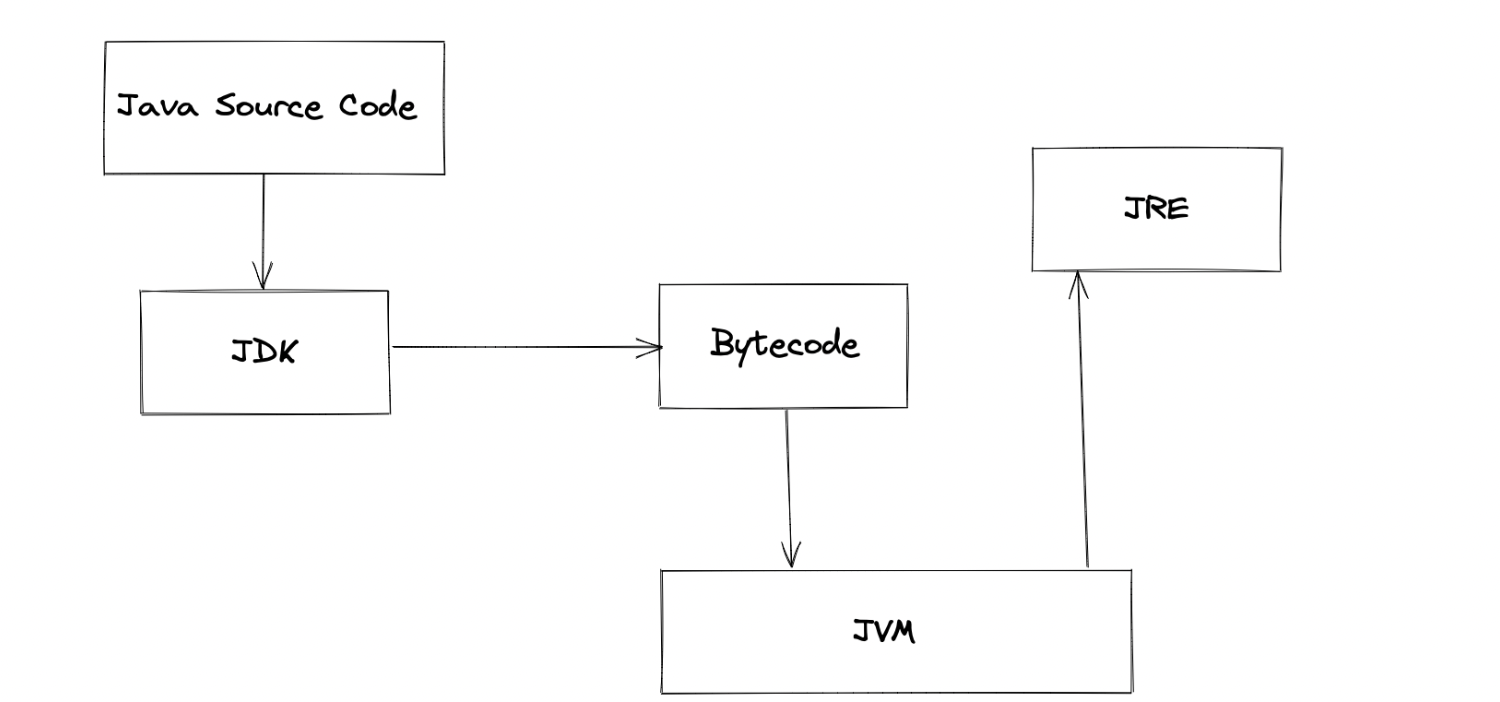
- Edit/Write Code: Using any text editor or IDE.
- Compile: Using
javac filename.javato generatefilename.class. - Run: Using
java ClassNameto execute with JVM.
Installing Java Tools
- JDK download: https://www.oracle.com/java/technologies/javase-downloads.html
- IDE suggestion: IntelliJ IDEA (for coding).
- Replit: Online option for quick Java programming ().
Recap Table: Java Development Steps
| Stage | Tool/Component | File/Output | Purpose |
|---|---|---|---|
| Coding | Editor/IDE | .java (source code) | Write human-readable code |
| Compilation | javac | .class (bytecode) | Translate to platform-independent |
| Execution | JVM/JRE | Machine instructions | Run on any OS with JVM |
Why Java Is Still Relevant Today
Java is still widely used because:
- it is stable and backward-compatible
- it has a massive ecosystem
- it performs well for long-running systems
- it scales with teams and codebases
Used in:
- enterprise backends
- banking systems
- Android (core concepts)
- big data platforms
Key Takeaways
- Java’s architecture separates writing, compiling, and running code.
- Platform independence comes from compiling to bytecode and running on JVM.
- JDK is required for development; JRE for running Java apps.
- JVM handles execution and abstraction from specific hardware/platforms.
Watch it in YouTube here : https://www.youtube.com/watch?v=4EP8YzcN0hQ&list=PL9gnSGHSqcnr_DxHsP7AW9ftq0AtAyYqJ&index=7